
Digital Business Cards for Sales Reps: Fewer Steps Between Meeting and Follow-Up
Share your details from Apple Wallet or Google Wallet. Choose a card package you can update when your title, number, or sales territory changes.
Everyone on your calendar invite already has your email. A business card is for the others: the colleague your buyer pulls into the room at the end, the person at the next booth, the contact you meet in the corridor on the way out. Nobody sent them your details in advance, and none of them will spell your surname correctly from memory. In this guide I'll show you what a digital business card changes in a sales week, how you share it in a customer meeting, and what happens when your title or your number moves on.
Key Takeaways
- The average seller spends only 40% of their working time actually selling (Salesforce, 2026). A business card shouldn't eat into the rest.
- Your card sits in Apple Wallet or Google Wallet, so it's ready whenever your phone is. Nothing runs out, nothing needs reprinting.
- Your prospect scans your QR code with their normal camera. Direct contact sharing works without an extra app, signup, or signal.
- Pick the Plus or Pro package when your title, your number, or your territory is likely to change. You can then update the details and design on your Wallet card.
What does a sales rep need from a business card?
Four things: it has to be with you at every meeting, it has to be current, nobody should need to install anything to receive it, and it has to work with no signal. Paper can be left behind or become outdated. A card in your phone's Wallet stays close at hand, and a QR code containing your contact details directly works without a connection at the other end.
Paper's real problem can be timing. A prospect may not need your service on the day you meet. So the job of the card isn't to be kept on a desk. Its job is to put your details in the address book your buyer searches months later, when the need finally shows up. A saved contact is easier to find than a card left in a jacket pocket.
Why doesn't another sales app help here?
Because the week is already full. Salesforce's 2026 State of Sales report, a survey of 4,050 sales professionals, found the average seller spends 40% of their time selling. Gen Z reps sit at 35%, losing around two hours a week to manual data entry alone (Salesforce, February 2026).
Where the selling week goes
Share of working time spent actively selling
Average seller
40%
Gen Z reps
35%
Selling
Everything else
Source: Salesforce, State of Sales (seventh edition), February 2026. Survey of 4,050 sales professionals.
Anything you add to that week has to earn its place. With DigiCard Pro, you create and buy your card in a browser without a separate DigiCard Pro app or account. Save it to Apple Wallet or Google Wallet, and from then on it sits with your boarding passes and your parking tickets.
A digital wallet is hardly exotic technology by now. Juniper Research estimated around 4.4 billion digital wallet users in 2025 and forecast more than 6 billion by 2030 (Juniper Research, 2025). Those figures cover digital wallets generally, including payments, rather than business card passes. The full case for skipping the download is in our guide to the digital business card without an app.
How do you share your card in a customer meeting?
You open the pass in your Apple or Google Wallet, your QR code appears on the card, and your prospect scans it with their normal camera app. Their phone offers to save the contact. They confirm the import, and your name, mobile number and email land in their address book as you entered them. No dictation, no typos in your surname.

On iPhone and supported Android phones, the built-in camera can recognize QR codes. Your prospect follows the prompt on their screen (Apple, Google Pixel).
When a new face joins the room, share your card there and then. At the table it fits into the conversation instead of becoming a goodbye ritual. If you want the whole setup first, the step-by-step is in how to create a digital business card.
What happens when your title or your number changes?
That depends on which of the three card packages you picked. Basic stays unchanged after purchase. Plus lets you change your details and design later. Pro includes those edits and adds contact sharing with a profile photo and an online business card, a webpage with your details and extra links. With the Pro package, you choose whether the QR code shares a direct contact, a contact with a photo, or your online business card.
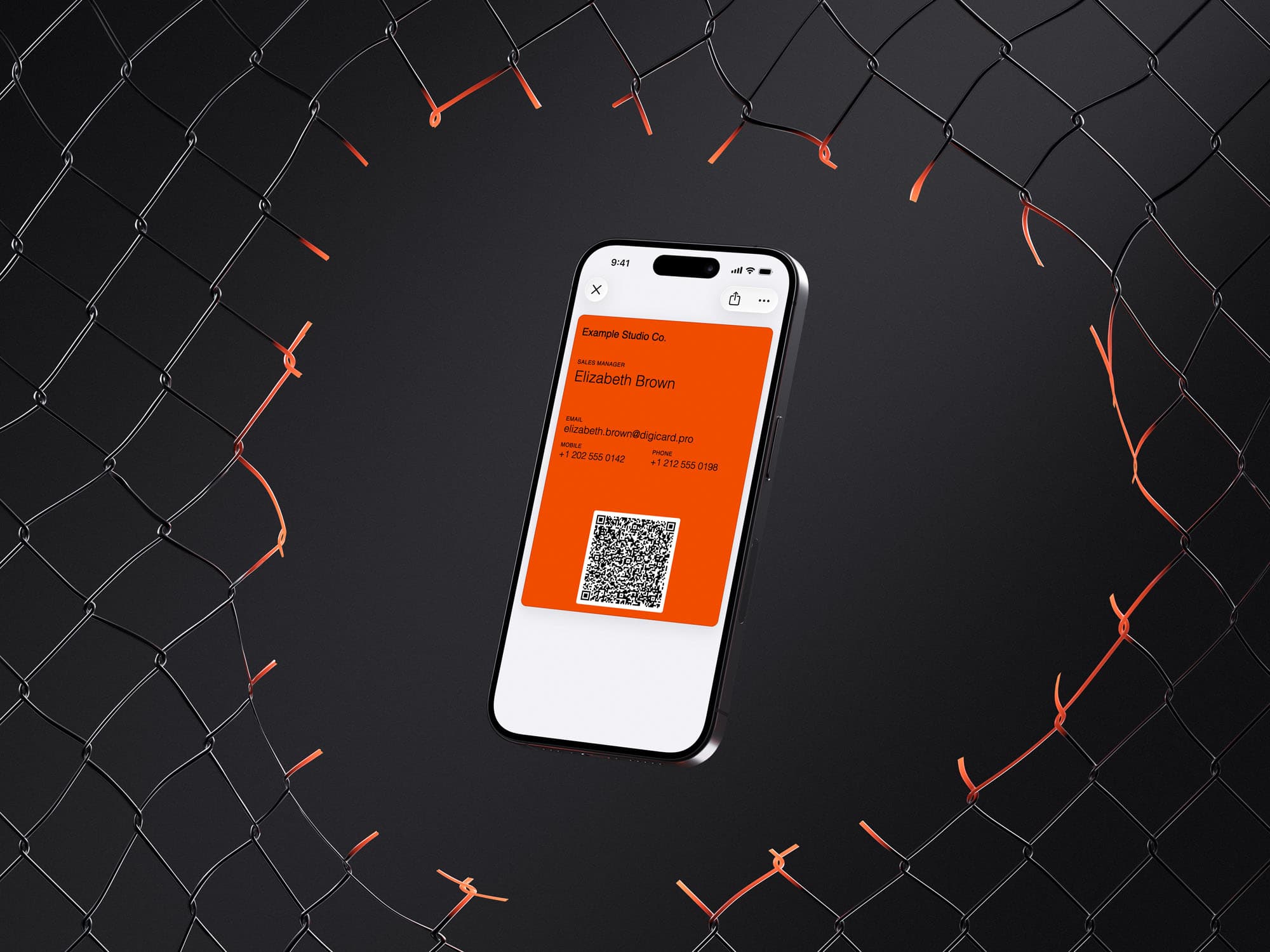
Sales titles move after a good year. Numbers move after a new phone or a switch to another territory. With printed cards, each of those changes leaves you with a box you can't use and a pile you keep handing out anyway. With a Plus or Pro card, you change the detail once and receive an updated Wallet pass. Updates need an internet connection; Apple Wallet also needs automatic updates enabled. With direct contact sharing, the QR code contains your updated details. Contacts already saved in someone else's address book do not change automatically. How that looks on each platform is covered in the guide to the wallet business card and, for iPhone users, the Apple Wallet business card.
You can create and buy any of the three card packages without an account. For a Plus or Pro card, use Edit card on your order confirmation to make changes after purchase. An account is useful for managing a whole team centrally.
Does it work at a trade fair with no signal?
Yes, with direct contact sharing. Basic and Plus cards store your contact details inside the QR code itself, so neither phone needs a connection to share them. The Pro package also offers this option. Choose it for a fair with unreliable reception; contact sharing with a photo and the online business card use an internet connection on your prospect's phone.

Event days are also the days you run out. A stack of cards that looked generous on Monday is gone by the second afternoon, usually right before the conversation you actually wanted. A card in your wallet has no quantity to run down. And if you're reading this two days before a fair, the fastest routes are in last-minute business cards.
How do you equip a small sales team?
One card per person, built on a shared design so the team looks like a team. You can prepare a reusable template in the browser and create each rep's card from it, which keeps colors, company name and job titles consistent without anyone opening a design file. A browser template gives new cards a shared starting point. Use an account and a managed group for later central changes.
Active Plus and Pro cards that remain linked to a group can receive later changes to shared details and design. Basic cards keep the template's details at purchase and then work independently. Employees with active Plus or Pro cards can update their own details through the edit page when email-link editing is enabled and their email address is on the card. Fields you lock in the group stay protected.
That distinction is worth knowing before you start. Managed groups live in your account: shared defaults, fields you lock so nobody overwrites the company name, and a bulk import that reads a spreadsheet of names. Choose the card variant above the import before uploading your file. Create cards adds the cards to your cart, where you complete the purchase. Equipping four reps? A browser template can be enough. Equipping forty? Use the group. The company page explains the team setup options.
New hires are the clearest win. There's no print run, no minimum order and no waiting for delivery, so somebody who starts on Monday can share their details in their first customer meeting on Tuesday. Colleagues who work alone can use the freelancer examples in our card creation guide; field-heavy roles can also draw on the guide for real estate agents.
Your next meeting is already in the calendar. Build your card in the card generator, choose the Basic, Plus, or Pro package, and complete the one-time purchase. Save it to your Apple or Google Wallet and walk in with your details one scan away.
Common questions from sales teams
What does a digital business card cost for a sales rep?
DigiCard Pro offers the Basic, Plus, and Pro card packages for a one-time payment per card, with no card subscription or recurring seat fees. The price depends on the package and quantity. You build the card in the card generator, see a live preview while you type, and check the price before buying. Passes for Apple Wallet and Google Wallet are both included.
Does my prospect need an app to receive my card?
No extra DigiCard Pro app or account is needed. Your prospect scans the QR code with a supported camera or QR scanner, opens the contact, and confirms saving it. If you choose the online business card with the Pro package, the scan opens your webpage, where they can download your contact.
What if my prospect uses Android and I use an iPhone?
Your prospect doesn't have to use the same platform as you. Every card includes passes for Apple Wallet and Google Wallet. Your prospect scans the QR code with a supported camera or QR scanner and follows the prompt to open your contact or online business card. If you're the one on Android, the setup is in the guide to the digital business card for Android.
Can I see who scanned my card?
DigiCard Pro does not show you who scanned your card or automatically add leads to your CRM. With direct contact sharing, the details sit inside the QR code and the scan does not need to contact our servers. The Pro package's photo contact and online business card are retrieved online, but they do not provide a scan report for you. Keep notes about the conversation and follow-up in your CRM. If all you need is a plain QR code image, the free QR code business card explains that route.