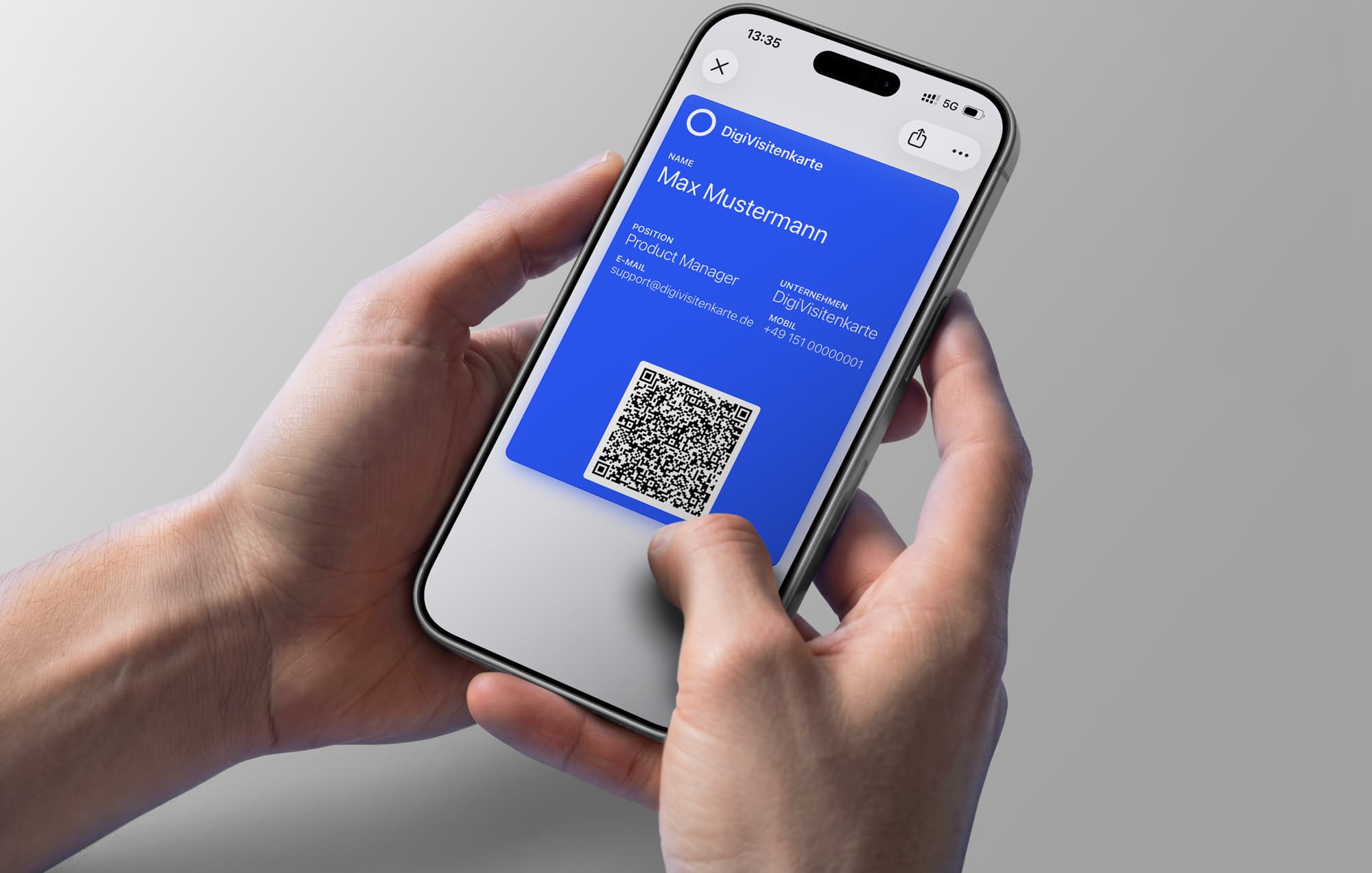
How to Create an Apple Wallet Business Card: The Smart Way to Network
Learn how to create an Apple Wallet business card and share contact details quickly, professionally, and without a separate app.
A digital business card stored directly in Apple Wallet is one of the smartest ways to share contact details professionally and quickly today. Instead of searching your bag for the last paper card, you can use DigiCard Pro to create a simple, elegant digital card in just a few minutes and store it directly in Wallet, without recurring costs or a complicated app that someone has to install first.
Why a Wallet business card improves your networking
Let us be honest: the days when paper cards disappeared into drawers are not the future of professional networking. A digital business card is not a short-lived trend. It is a real efficiency boost for your professional network. It modernizes the important first impression and shows that you are organized and current.
Picture a familiar situation: you are at a trade fair, conference, client meeting, or spontaneous industry event. Instead of awkwardly searching for a paper card, you take out your iPhone.
One quick scan of the QR code on your Wallet card is enough, and the other person has all important details on their own smartphone immediately and without typing errors. This smooth exchange is not only impressively fast. It also leaves a lasting positive impression.
Practical value in everyday use
The biggest advantage is simple reliability. Manual typing errors in email addresses or phone numbers disappear from the process. The whole exchange feels smooth and refreshingly uncomplicated. The goal is simply to build connections in a smarter and more direct way.
This method is becoming more relevant because digital wallets are already part of everyday life for many people. More and more people use their smartphones for payments, tickets, boarding passes, and IDs.
-
Speed: Contacts are shared in seconds, not minutes.
-
Professionalism: You signal digital confidence and, at the same time, environmental awareness.
-
Reliability: No lost cards and no typing mistakes.
This trend is also supported by the strong adoption of mobile payment services such as Apple Pay. A Statista survey shows that between July 2023 and June 2024, around 40% of respondents in Germany used Apple Pay in stores. That underlines how deeply digital wallets are already embedded in everyday life and makes people more open to other Wallet functions, such as a digital business card. More details about Apple Pay adoption in Germany are available on statista.com.
How to create your digital business card in minutes
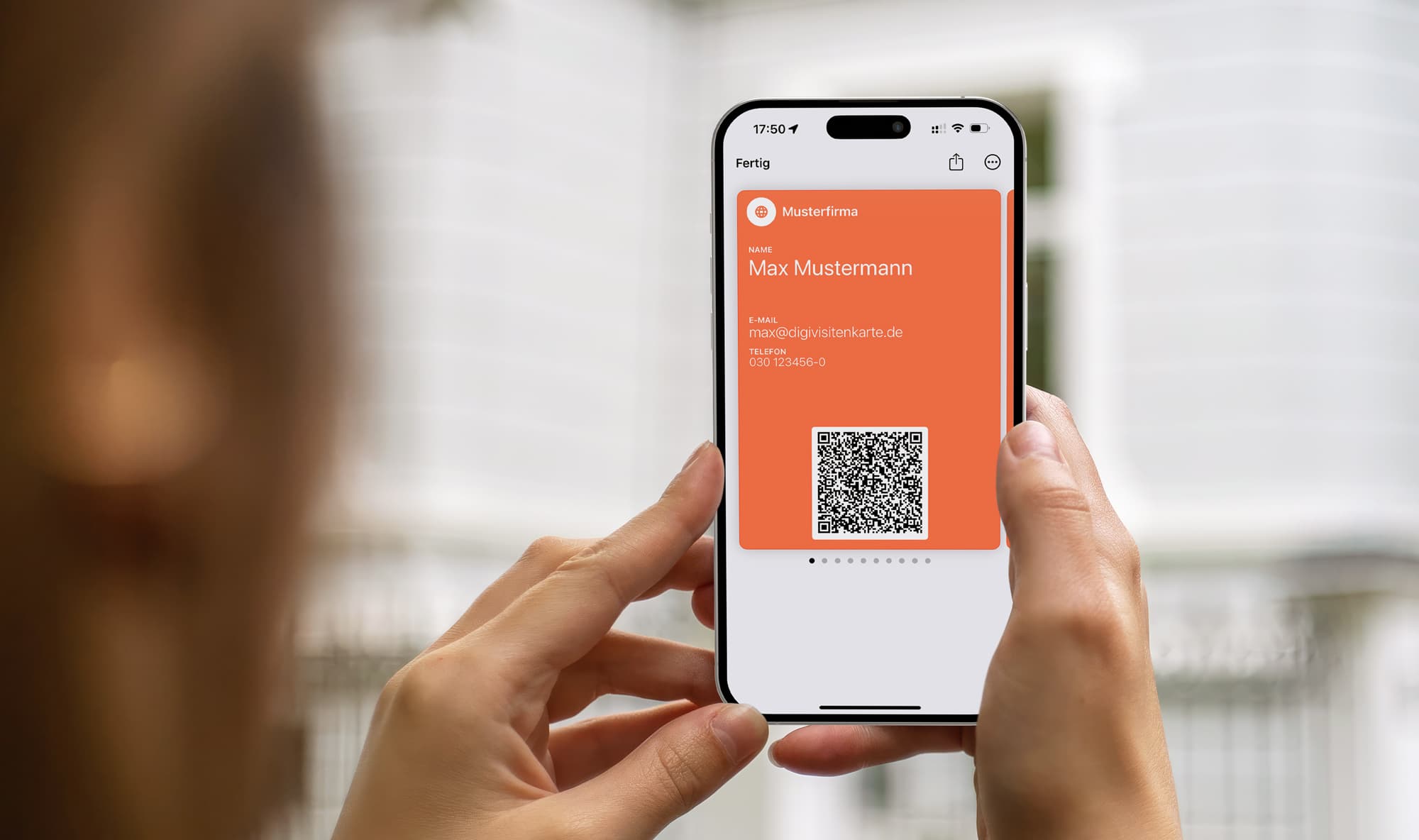
The idea of creating your own digital business card can sound technical at first. In practice, it only takes a few minutes. With a service such as DigiCard Pro, you can finish your card in less than five minutes. The best part is that you do not need to install an app or go through a lengthy registration process. A normal web browser is enough.
The path is straightforward: you open the website, fill in a clear online form with your details, and see the result right away. Many tools, including the DigiCard Pro generator, provide a live preview. That is useful because you immediately get a sense of how the card will later look in Wallet on the iPhone. You can also test the QR code directly.
What information belongs on the card?
The golden rule is: less is more. A card overloaded with information quickly looks unprofessional. The point is to show the other person the most important contact details at a glance without overwhelming them.
Focus on the essentials. From practical experience, these are the details that matter most:
-
Full name: This is the foundation of a professional introduction.
-
Company and role: This creates immediate context and shows in which capacity you are acting.
-
Email address: The most important channel for follow-up business communication.
-
Phone number: A direct path for urgent questions or fast coordination.
Practical tip: Use one primary phone number and one email address. Multiple options often create confusion and make the card feel cluttered. Be direct and precise.
Once you have entered all details and checked them carefully, you complete the process. You receive the Wallet pass as a file. One tap on that file on your iPhone is enough, and the option to Add to Wallet appears. That is it: your digital business card is ready.
Design matters too. Wallet passes naturally have some design limits, but color selection and a logo can still make a meaningful difference.
At the end of the day, the goal is a functional and stylish digital business card that supports your professional presence and makes sharing contact details as easy as possible.
Before your first event, test the saved pass with both an iPhone and an Android phone. Open the card in Apple Wallet, let the other person scan its QR code, then check the contact preview before saving. Confirm that your name, phone number, email, and website arrive correctly. The receiving phone does not need Apple Wallet. With a direct-contact QR code, the scan also works offline; opening a linked website still needs a connection.
Smart strategies for real-world use
A digital business card is much more than a place to store contact details. Used well, it becomes a practical tool that can change how you network. The trick is to treat the exchange not as a dry formality, but as the start of a real conversation.
Forget the old, sometimes awkward question: "Do you have a card?" Be proactive instead. A simple sentence such as "Let's stay connected. I can share my details directly to your phone" sounds modern and confident, and it opens the way for a quick digital exchange.
That moment is your stage. When you take out your smartphone and show the Wallet card, you leave a clear positive impression. It signals efficiency and digital competence, both of which matter in almost every industry today.
Tactics for different situations
The real skill is using your digital business card in a way that fits the setting. Not every situation calls for the same approach. These tactics work well in practice:
-
Formal meetings: Timing is everything. Wait for a suitable moment near the end of the conversation. A smooth transition could be: "Before we wrap up, I want to make sure we have the right contact details for the next steps. I can share mine with you digitally."
-
Trade fairs and conferences: These settings are often busy. Be direct but friendly. After a good conversation, you can say: "I would like to continue this topic with you. Here are my contact details, very simple." The quick scan is a real advantage in this environment.
-
Informal get-togethers: In casual settings, the technology itself can work as an icebreaker. A relaxed line such as "No more paper cards, right? This is how easy it is now" often creates curiosity and starts a conversation about modern workflows.
For events, an Editable Card also offers an optional location-based lock-screen suggestion on iPhone. Set the event location in your account so Apple Wallet can suggest the pass nearby. This feature requires an account and is specific to Apple Wallet; the QR code itself works without it.
The key psychological advantage: you stay in control. Instead of hoping to receive a card, you actively offer a smart, simple solution. You act instead of just reacting.
More than sharing contact details
Ultimately, the goal is to be seen as someone who thinks ahead. When you create an Apple Wallet business card and use it confidently, you are not just exchanging a name and number. You are communicating a clear image of yourself as professional, organized, and innovative.
That turns a simple contact exchange into a small but effective marketing moment for your personal brand. This small difference can decide whether you become just another contact in a long list or a new connection who stays in memory.
Digital vs. paper: a clear case for the future
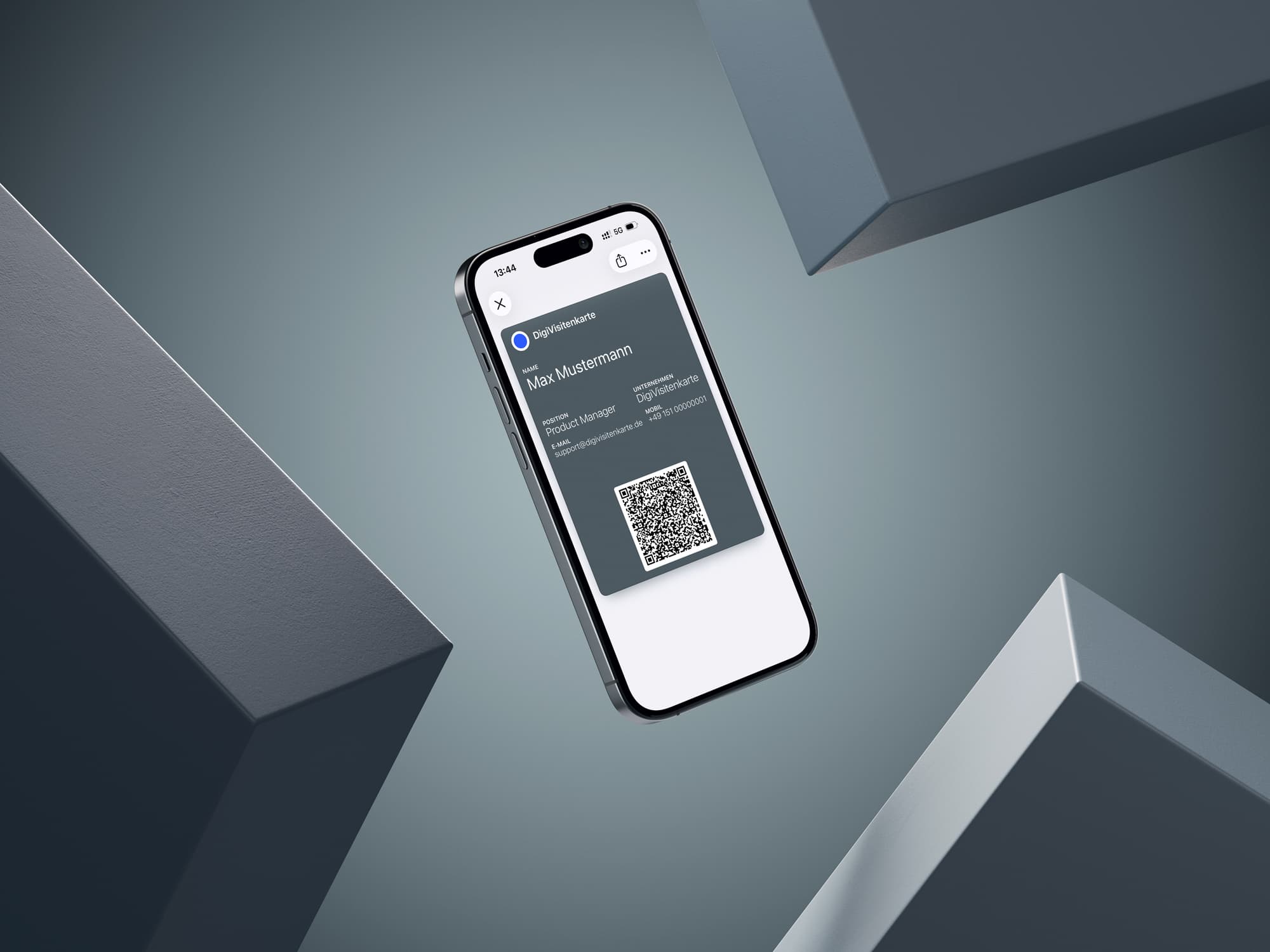
The question of whether to use a digital card or a traditional paper business card is no longer just a matter of taste. In real business life, it comes down to practical facts that can make a meaningful difference in a busy schedule. Anyone who relies only on printed cardboard often accepts unnecessary disadvantages in efficiency, cost, and sustainability.
Take costs, for example. For an Apple Wallet business card, you pay a clear one-time amount and can share it as often as you like afterward. Paper cards create recurring print costs. Every promotion, new mobile number, or address change means ordering a new stack. That is expensive and inconvenient.
The key advantage of the digital card is its flexibility. Even though the details cannot be edited directly inside the Wallet pass after creation, generating a new updated card only takes a few minutes. With paper cards, the entire remaining stock becomes useless as soon as one small detail changes.
The most important differences
The advantages go well beyond saving money. They affect everyday use and the impression you leave.
-
Freshness matters: A digital card can be recreated quickly when details change. There is no old stock to throw away. Paper cards are static and outdated as soon as any detail changes.
-
Environmental impact: The digital solution is naturally resource-saving. No paper, no ink, no physical waste. Printed business cards require wood, water, energy, ink, and shipping.
-
Contact efficiency: A quick QR code scan is not only more modern. It is also more efficient and avoids typing errors. Manually copying details from a paper card becomes unnecessary.
A direct comparison makes the difference even clearer.
Digital Wallet business card vs. paper business card
| Feature | Digital Wallet business card | Traditional paper business card |
|---|---|---|
| Cost | Low one-time payment, no recurring costs | Ongoing costs for printing and design |
| Freshness | New version can be created in minutes | Outdated when any detail changes |
| Environment | Sustainable, no physical waste | Resource-intensive and creates waste |
| Handling | Always on your smartphone | Can be forgotten, lost, or run out |
At the end of the day, the psychological effect matters too. Taking out a digital business card from Apple Wallet immediately signals that you are modern, well organized, and environmentally aware. You show the other person that you use current tools, which is a strong statement in today's business world.
What your Wallet business card can and cannot do
When you create your first Apple Wallet business card, it is important to understand exactly how it works. That helps you set realistic expectations and use the tool well in your networking.
A Wallet business card like the one you create with DigiCard Pro is intentionally minimal. The idea is to share your contact details as quickly and simply as possible, without unnecessary extras. The focus is entirely on simplicity and reliability.
Do not think of your Wallet business card as an app. Think of it as a digital pass in the
.pkpassformat, saved in Apple Wallet. A fixed card stays unchanged after creation. With an Editable Card, the installed pass can receive your later updates.
What does not work technically, and why that is a benefit
To be clear from the beginning, here is what this type of Wallet business card deliberately does not do. These limits keep the experience lean and focused.
-
No contact photo in the QR code: DigiCard Pro shares the contact details you enter through its vCard QR code, without a personal contact photo. You can still choose the color and logo for your Wallet pass.
-
No statistics or tracking: You cannot see how often your card was scanned or opened. Privacy and simplicity are the priority.
-
No user account needed: You do not have to register anywhere. Optional, but not a requirement.
-
No CRM integration: Direct integration into customer relationship management systems is not part of this approach. It makes the process simple and straightforward.
-
No NFC chip: Sharing works reliably through the QR code. No NFC chip is included in the Wallet file itself.
A general tip whenever you share contact details digitally: be conscious of what you include. Build your card so it contains exactly the information needed for a strong first impression, no more and no less.
Answers to common questions about digital Wallet business cards
When people consider an Apple Wallet business card for the first time, the same questions often come up. Here are the most important answers from practical use, so you know exactly what to expect.
Does the other person need to install a specific app?
No, and that is honestly one of the biggest advantages. Your contact only needs to scan the QR code with the normal camera app on their smartphone. The option to save your contact details appears right away. This works on modern iPhones and Android phones without unnecessary steps.
The exchange is intentionally as simple as possible. It should work for everyone, regardless of device or technical confidence. That makes the Wallet card a true all-rounder for networking.
Can I change my details later?
It depends on the variant. A fixed card is static once it has been created. You can think of it like a printed card: the information on it stays the same. If your phone number changes or you take on a new role, you create a new card in a few minutes and remove the old one from Apple Wallet with a swipe.
If you'd rather update your details over time, choose the Editable Card instead. You can change your contact details and design anytime, and the pass updates automatically in your Apple Wallet.
How secure is my data?
The card contains the information you enter. Saved card data and Wallet passes are processed and stored on the server, including cards created without an account.
The direct vCard QR code shares your details without calling a server; these scans are not tracked. Anyone who can see or photograph the code can read the details it contains. Include only information you want to share with business contacts.
For the bigger picture across both wallets, see our overview of your digital business card in Apple and Google Wallet. It pays off most in jobs built on constant personal contact. See how real estate agents put it to work in our guide to digital business cards for real estate agents.
Ready to try it yourself? Create your own professional digital business card with DigiCard Pro and see how simple modern networking can be. Go directly to the generator.