
Digital Business Cards for Real Estate Agents: Never Lose a Lead
66% of sellers choose an agent they were referred to or already know. A digital business card keeps your details in every client's phone – no app, no reprints.
At an open house, fifteen people walk through in an afternoon. You hand out paper cards, but not everyone saves your details to their phone right away. But selling a home takes weeks, sometimes months, and the buyer who wants to reach you in three weeks needs your number handy now. A digital business card fixes that. It lives in your phone, and one scan saves your name, phone, and email straight into the other person's contacts, correctly and for good.
Key Takeaways
- In real estate, every contact matters for weeks. A digital business card is always on your phone, and one scan shares your details.
- Paper cards get lost or go out of date. A scan saves your details straight into the client's phone, with no app to install on their side.
- You can create one in a few minutes and keep it in your Apple or Google Wallet. A fixed card needs no account; choose the Editable Card to update your details anytime.
Winning the listing starts with the first impression
When you pitch for a listing, the seller is often comparing you with two or three other agents, so every signal of professionalism counts. Paper works against you here – it rarely survives, with about 88% of business cards discarded within a week (Adobe, 2016). Sharing your card smoothly from your phone looks more current than a dog-eared card from your pocket, and it helps the seller remember you.
The field is crowded, too. There are more than 1.5 million Realtors in the US (NAR, 2024), and a seller hires the one they trust and can reach without friction. With a digital business card, your details land correctly in their phone right away, not on a slip of paper that disappears. For the basics of how it works, see our guide to the digital business card.
Capture every lead at a showing or open house
A showing or open house is where paper cards fail hardest: you meet a dozen people at once, and you either run out or they lose the card. With a digital business card, you open it in your Wallet at the end of the visit, each person scans the QR code with their camera, and your details are saved in seconds.
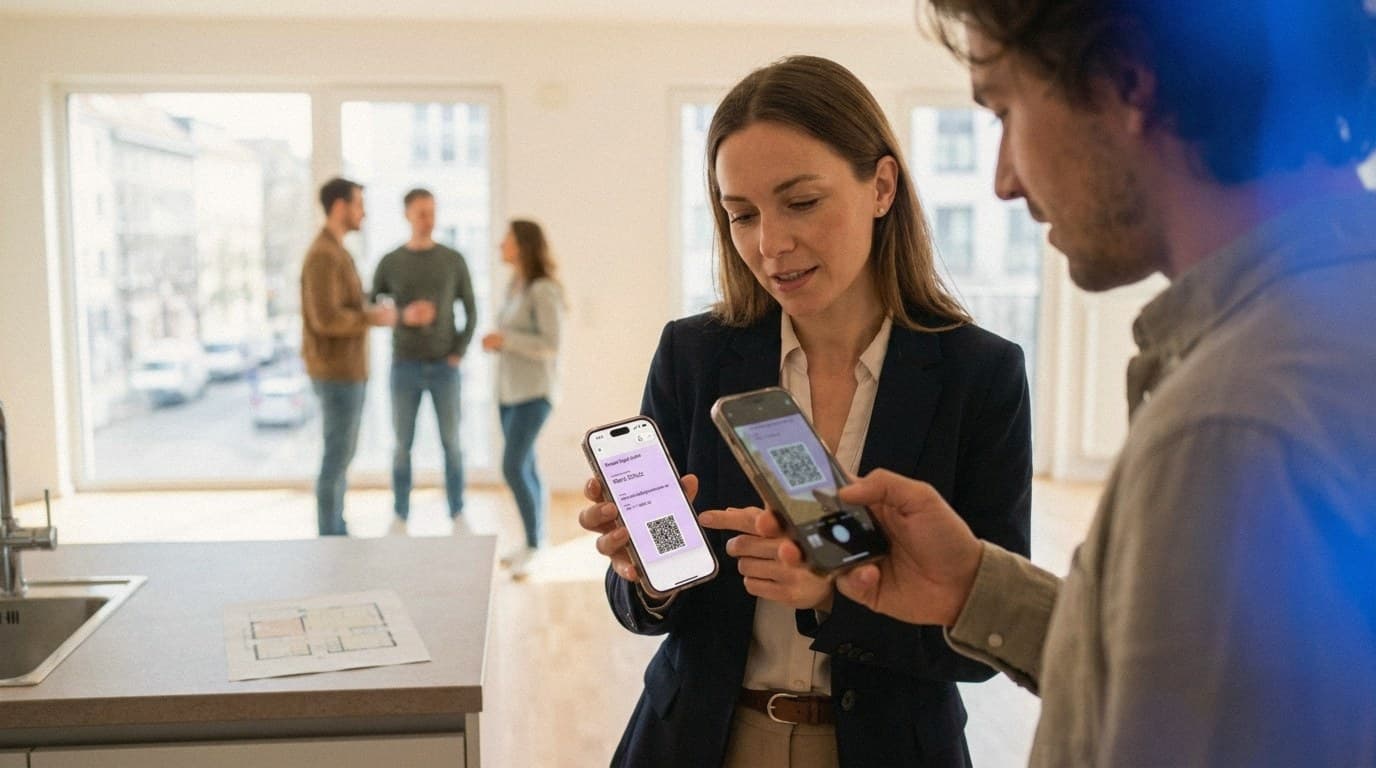
Three things help in practice: nobody installs an app, the QR code works even in an empty new build with no signal, and you can share it as many times as you like. So you leave each showing with more of the leads you'd otherwise lose. If you want to see the QR side in detail, read our guide to a free QR code business card.
Which link belongs on a real estate agent's card?
Besides your name, phone, and email, you can add one link to your digital business card, and for agents that link is the real advantage. Pick a single one that fits the person in front of you.
For sellers, that's often a home-valuation form: a concrete first step that leads to a listing appointment. For buyers, a link to your current listings or a saved search fits better. Keep it to one link. Five profiles dilute the message; a single link sends people straight to your valuation form or your listings.
Stay top of mind in your referral network
Most of your business comes from referrals and repeat clients, not ads. In fact, 66% of sellers use an agent they were referred to or had worked with before (NAR, 2024). Lenders, title officers, inspectors, contractors, and past clients send you business when they think of you and can reach you fast.
At every meeting, you share your card in seconds: open it in your Wallet, they scan the QR code, done. The relationship doesn't end at closing, either. Hand over the keys, follow up a few days later with a short note, and you stay the agent people recommend. Many agents run their own business, so the examples on positioning and link choice in our card creation guide apply here too.

Fixed or Editable Card, and how to set it up in minutes
You can create your digital business card in a few minutes. Enter your details once in the DigiCard Pro generator, and your card is ready moments later. You pick between two variants, and the difference matters for agents.
-
Fixed card: Your details are locked in after creation. It's the simplest option and needs no account.
-
Editable Card: You can update your details and design anytime, and the card refreshes automatically in your Wallet. That helps when you switch brokerages, change your team, or want the link to always point at your current listings.

Then save the card to your Wallet with a tap. We walk through it for iPhone in our guide to the Apple Wallet business card, and for Android in the guide to a digital business card for Android. Both guides cover the setup and sharing your details.
Frequently asked questions
How do I share my card at a showing with several people at once?
You open your card once in your Apple or Google Wallet, and each person scans the QR code with their camera in turn. Everyone saves your details in seconds, and unlike paper cards, you never run out. Nobody needs to install an app.
What link should a real estate agent put on the card?
Just one that fits the person. For sellers, a home-valuation form works well; for buyers, a link to your current listings or a saved search. One clear link sends people straight to your listings or valuation, not down a list of profiles.
What if I switch brokerages?
Use the Editable Card. You can update your details and design anytime, and the card refreshes automatically in your Wallet. With a fixed card, your details are locked in, so you'd simply create a new one.
Is a digital business card worth it for a solo agent or small team?
Yes. With a small team, the lean setup pays off: no print runs, no stack of outdated cards. You share your details professionally the moment a chance comes up, and you look organized from the first handshake.
Ready to leave every showing with more leads? Create your own digital business card with DigiCard Pro in a few minutes, with no subscription. Create your digital business card.